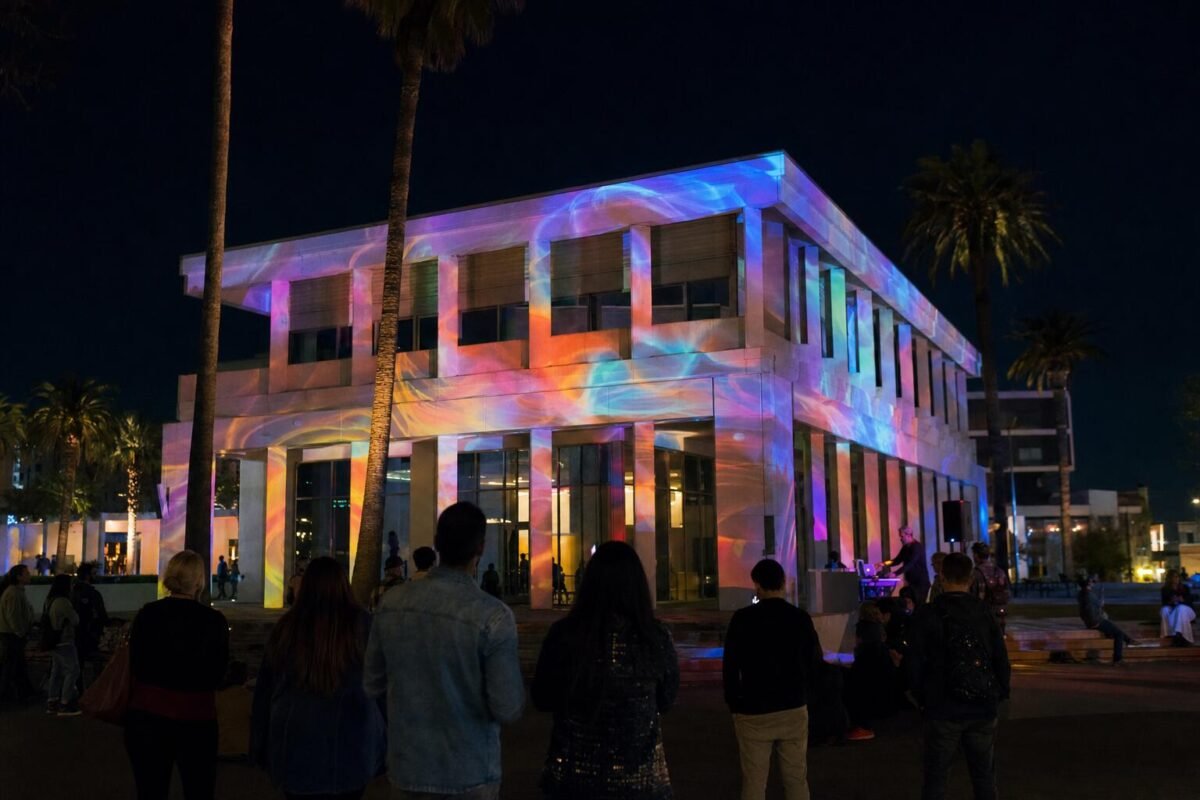
Projection mapping is a way to project video onto a real object, like a building, a stage or a cake, so the picture fits its exact shape. Software warps the image to match every edge and corner, and the object looks like it moves, changes color or tells a story. At an event, it turns a plain wall or backdrop into the centerpiece of the night.
This guide covers how it works, what you can map, ideas for different events, and what to plan for so the result looks the way you pictured it.
What Is Projection Mapping?
A normal projector throws a flat rectangle of light onto a flat screen. Projection mapping does something different. It treats the surface itself as the screen, whatever its shape. The content is built to match the object, so windows, columns, steps or the tiers of a cake each get their own piece of the picture.
You may also hear it called video mapping or 3D projection mapping. They all mean the same idea. The surface stays exactly as it is. Nothing is painted, glued or built onto it, and when the projectors turn off, it looks normal again. That is why venues, historic buildings and museums are often happy to allow it.
The idea is older than most people think. Theme parks used projected film on sculpted faces back in the late 1960s. Today the tools are digital, much brighter and far easier to align, which is why you now see mapping at weddings, galas and product launches, not only at big festivals.
How Projection Mapping Works, Step by Step
Every project follows the same basic path. The size changes, but the steps do not.
1. Study the surface
The team visits the venue or works from photos, plans and measurements. They note the size and shape of the surface, its color and texture, where the audience will stand, and where projectors can go. Light, smooth surfaces are easiest. Dark, shiny or very textured surfaces need more brightness and more care.
2. Create the content
Designers build animation that fits the exact outline of the surface. This is where the story comes in. It could be your names, your logo, a theme, a countdown or a full show set to music. Content is usually the biggest part of the work, because every frame has to line up with real edges.
3. Choose and place the projectors
Projectors are picked based on brightness, resolution and how far they sit from the surface. A small object may need one projector. A large building may need several placed side by side or stacked to cover it with enough light.
4. Align, warp and blend
On site, the team uses mapping software to bend the image so it lands right on the surface. This is called warping. When more than one projector is used, the overlapping edges are softened so the picture looks like one smooth image. This is called blending. Masks block light from places it should not go, like doors or nearby trees.
5. Play it back
A media server or show computer plays the content and keeps every projector in sync. The show can run on a loop, start on a cue from the DJ or MC, or react live to music or guest movement. A rehearsal before doors open is always part of the plan.
What Can You Map?
Almost any solid surface can work. These are the most common choices for events.
- Buildings and facades. A hotel, estate, office or home becomes a giant animated canvas. Windows and columns become part of the design.
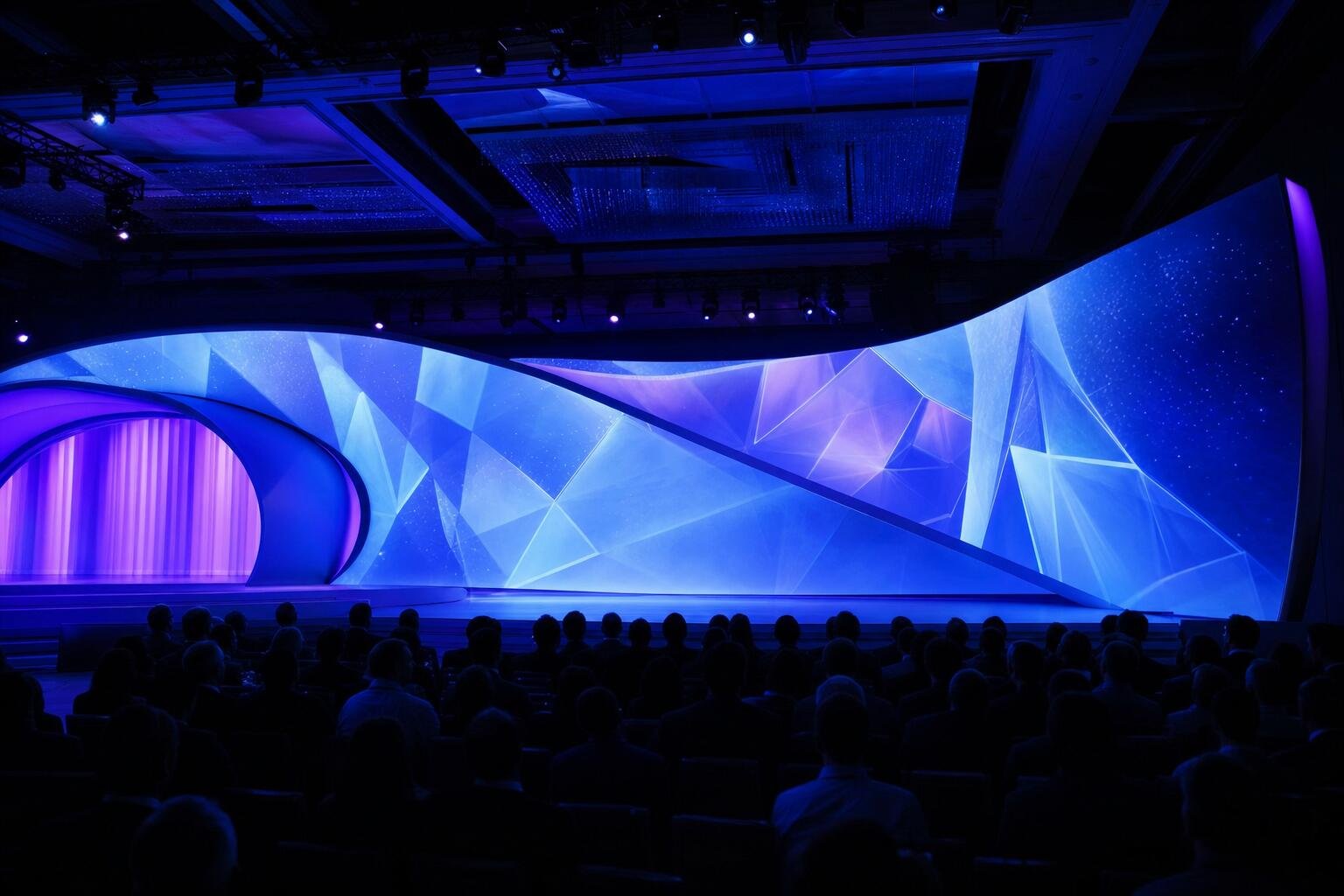
- Stages and backdrops. Curved walls, scenic pieces and custom set builds can change look for each part of the program.
- Ballroom walls and ceilings. Mapping can wrap a room in a theme, from a starry sky to a garden, and change it between dinner and dancing.
- Dance floors and interactive floors. Projected floors can show monograms, patterns or games. With motion sensors, the floor reacts when guests step or move on it.
- Cakes, tables and small objects. A white wedding cake, a product on a pedestal or a dinner table can be mapped up close for a short, focused moment.
To see what this looks like in practice, visit our projection mapping service in Los Angeles.
Ideas for Using Projection Mapping at Your Event
Weddings
- Map your names, monogram or wedding date onto the venue as guests arrive.
- Turn the cake into a short animated show right before you cut it.
- Change the look of the room from a soft dinner scene to a bright party scene when dancing starts.
- Project a grand entrance moment behind the couple as they are introduced.
Bar and Bat Mitzvahs
- Build the whole room around the theme, whether that is sports, travel, gaming or something personal.
- Show the guest of honor’s name in motion during the entrance and the candle lighting.
- Add an interactive floor or wall game so younger guests stay busy and having fun.
Brand launches and corporate events
- Reveal a product with a mapped countdown and animation on the object itself.
- Map the company story or key messages onto the stage backdrop during the keynote.
- Light up the outside of the building for a launch party that people notice from the street.
Holidays
- Turn a home or storefront into a holiday show with falling snow, lights or seasonal scenes.
- Run a looping show for Halloween, the winter holidays or New Year’s Eve.
- Use it for a holiday party inside a ballroom or office lobby.
Hybrid events
When part of the audience watches online, mapping gives both groups the same big moment. A mapped stage looks great on camera, and live polls or social posts can show up inside the visuals so remote guests feel part of it. The key is to test how the projection looks on the livestream, not only in the room, since cameras and eyes see light differently.
Mapping often works best alongside other visuals. Many events pair it with an LED screen rental for speeches and slides, and with event lighting that is set so it does not wash out the projection.
Indoor vs Outdoor: What Affects the Look
Indoor mapping gives you more control. Outdoor mapping gives you more scale. Either way, three things decide how good it will look.
- Ambient light. Projection is light, so any other light competes with it. Outdoor shows should start after dark. Indoors, room lights, uplighting and sunlight through windows need to be managed, and drapes can help.
- The surface. White or light gray, matte surfaces show color best. Dark brick, glass and metal can still work, but they need brighter projectors and content designed with them in mind.
- Distance and placement. The farther the projector, the bigger the image, and the more brightness you need to keep it sharp. Projectors also need a clear line to the surface, with no trees, poles or crowds in the way.
Outdoor shows add weather to the list. Rain and wind can affect both the gear and the surface, so a good plan includes weather protection, a backup time and the right permits for the location.
How Long Does It Take to Plan?
Timing depends mostly on the content. A simple show using ready made animation with your names or logo added can come together in a few weeks. A fully custom show built for one building, with its own story and music, takes longer, often a couple of months or more.
A typical plan looks like this:
- First call to talk about the event, the venue and the look you want.
- Site visit or review of photos and measurements.
- Content design, with drafts for you to review.
- Final approval and technical planning with the venue.
- Setup, alignment and rehearsal on the event day.
The earlier you start, the more options you have. Last minute changes are hard, because content and alignment are built around a fixed surface. If budget is part of your planning, read our guide to budgeting for a projection mapping show.
Projection Mapping FAQ
Is projection mapping the same as a projector and screen?
No. A projector and screen show a flat image on a flat rectangle. Projection mapping shapes the image to fit a real object, so the object itself becomes the display.
Can you project onto any building?
Most buildings can be mapped. Light, flat or simply shaped walls give the clearest result. You also need a place for the projectors, a clear view for guests and permission from the property owner or venue.
Does projection mapping damage the surface?
No. It is only light. Nothing is attached to the surface, and it goes back to normal as soon as the projectors are off.
Can we use our own photos, names or logo?
Yes. Personal content is one of the best parts of mapping. Photos, names, dates, logos and brand colors can all be built into the animation.
Can it work during the day?
Outdoors, it looks best after sunset. Daylight is too strong for most setups. Indoors, it can run any time, as long as the room light is controlled.
Plan Your Projection Mapping Show
DJService.pro plans and runs projection mapping for weddings, Bar and Bat Mitzvahs, brand launches and private events across Los Angeles, Orange County and Southern California. Tell us about your venue and your idea, and we will tell you what will work and how to get there. Learn more about our projection mapping packages, or call us at 323-413-7099.
