Renting AV for an event in Los Angeles can feel confusing. One quote looks cheap, another looks high, and neither one explains much. This guide walks you through what event AV covers, what to know before you ask for quotes, what drives the price and how to pick a local company you can trust.
It works for corporate meetings, galas, product launches, fundraisers and private parties anywhere in Los Angeles, Orange County and Southern California.
What Event AV Covers
AV means audio and visual. In practice it is everything your guests hear and see, plus the people who run it. Most events use some mix of the items below.
Sound
Speakers, a mixer and the cables that connect them. A small meeting may need two powered speakers. A large ballroom or outdoor lawn needs more speakers, sometimes with subwoofers, placed so every seat hears clearly. Room shape matters too. Hard floors and high ceilings create echo, so speaker placement and a proper sound check are key.
Microphones
Handheld mics work for toasts and Q and A. Lavalier (lapel) mics let presenters move and keep their hands free. Wired mics are very stable. Wireless mics give freedom but need a frequency scan before the event to avoid interference. Most events use a mix.
Screens and Projectors
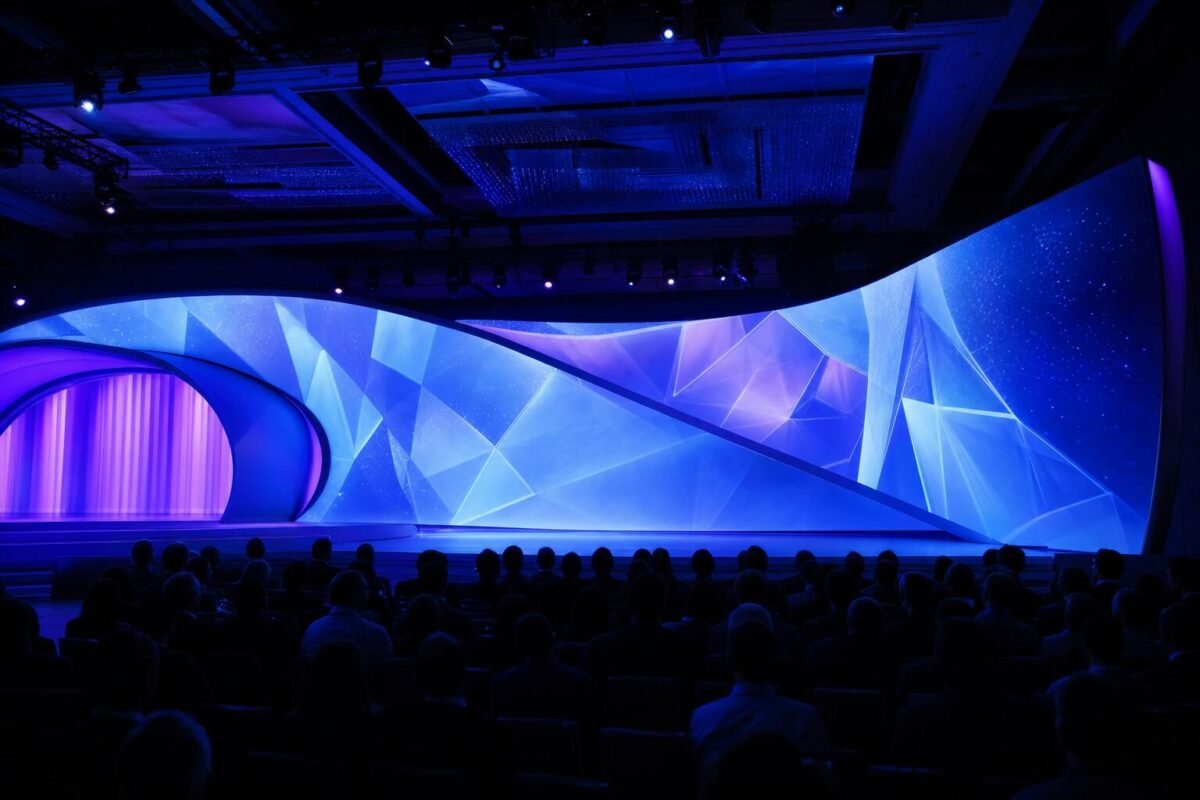
Projectors and screens are a solid choice for slides in a dim room. LED video walls are brighter, work in daylight and can be built in many sizes. For close viewing, ask about pixel pitch, since a finer pitch gives a sharper image. You can learn more on our LED screen rental page.
Lighting
Stage lighting makes speakers visible and look good on camera. Uplighting and wash lights set the mood and show off the room. See our event lighting rental options for ideas.
Video Switching and Streaming
If you have several laptops, cameras or remote speakers, a video switcher lets a tech move between sources cleanly. Streaming adds cameras, an encoder and a reliable internet connection so remote guests can watch live.
Technicians
Gear does not run itself. A trained tech sets up, tests, runs the show and fixes problems fast. For most events, an on site technician is the single best way to protect the day.
What to Know Before You Ask for Quotes
The more a company knows, the more accurate the quote. Have these answers ready:
- Date and times. Include load in, doors, program start, end and load out.
- Venue. Name, address and the room you are using. Share a floor plan if you have one.
- Guest count. This drives speaker size and screen size.
- Run of show. Who speaks, when, and with what. Note videos, music, awards or a panel.
- Indoor or outdoor. Outdoor events need brighter screens, weather plans and often more power.
- Power. Ask the venue what outlets and circuits are available, or if a generator is needed.
- What needs to be seen and heard. Slides, video, live music, remote presenters, a stream or a recording.
What Goes Into an AV Quote
A clear quote breaks the cost into parts. Here is what you should expect to see.
- Equipment. Usually priced by the day or as a package. As a typical market range, a basic projector may start around $100 per day, while high end setups can run $500 per day or more.
- Labor. Setup, show operation and teardown. Across the market, technician rates often fall between $50 and $100 per hour, and many companies have a minimum call, often around four hours.
- Delivery and pickup. A flat fee or a fee based on distance.
- Accessories. Cables, stands, adapters and power distribution. Good quotes include these.
Bigger events cost more. For context, market estimates for a multi day corporate event with 200 to 300 guests often land somewhere between $20,000 and $60,000 for AV. Treat all of these as general ranges, not a price list. Your real cost depends on your event.
Common Hidden Costs
These are the items that most often surprise planners after the contract is signed:
- Labor that is not listed. Some quotes show only gear. Ask if setup, operation and teardown are included.
- Travel. Venues outside the normal service area may add mileage or a travel fee.
- Overtime. If the event runs late or you add a rehearsal, overtime is commonly billed at 1.5 to 2 times the normal rate.
- Load in rules. Stairs, small elevators, far loading docks or tight venue windows can add crew time.
- Rush fees. Last minute changes or additions can cost extra.
- Idle days. On multi day events, gear may be billed for days it sits unused.
How to Compare Quotes Fairly
Two quotes can look far apart only because they include different things. Before you compare totals, line them up side by side.
- Ask every company for an itemized quote, built from the same event details.
- Check the number of mics, the number and size of speakers, and the screen size.
- Compare technician hours, not just the gear list.
- Look for delivery, setup, teardown and overtime terms in writing.
- See if backup equipment is included.
A package with a tech on site may cost more up front but save you stress and surprise charges later. The lowest number is not always the best value.
How to Choose a Local AV Company
A local team knows the area, the traffic and the venues. If something goes wrong, they can get a spare part to you fast. Here is what to look for.
Venue Experience
Ask if they have worked at your venue. Teams that know a room already understand its power, loading dock, sightlines and acoustics. If they have not, ask for a site visit or a walk through.
Backup Gear
Mics, cables and laptops can fail. A good company brings spares as standard, not as an add on.
A Real Tech Check
Every mic, speaker, screen and video source should be tested before doors open. Ask when the crew arrives and how much time is set aside for testing.
Insurance or COI
Many venues ask vendors for a certificate of insurance (COI). If your venue asks for one, make sure the AV company can provide it in time.
A Clear Contract
The contract should list the gear, crew, times, overtime terms, payment schedule and cancellation policy. If something is unclear, ask before you sign.
For business events, see how we handle corporate event AV in Los Angeles.
Questions to Ask an AV Rental Company
- Have you worked at my venue before?
- What is included in this quote, and what is not?
- How many technicians will be on site, and for how many hours?
- What is your overtime rate and policy?
- What backup equipment will you bring?
- When will your crew arrive, and when is the tech check?
- Can you send a COI if the venue needs one?
- Who is my contact on the day of the event?
FAQ
How far ahead should I book AV rental in Los Angeles?
Book as early as you can, especially for busy seasons and weekends. Early booking also helps you avoid rush fees and gives time for a site visit.
Do I need a technician for a small event?
If you have speeches, a slideshow or video, a tech is worth it. Small problems like feedback or a laptop that will not connect are easy to fix when a trained person is in the room.
Is an LED wall better than a projector?
An LED wall is brighter and works in daylight or bright rooms. A projector can be a good fit for a dim room with a modest budget. Your venue and guest count help decide.
Why do AV quotes vary so much?
Quotes differ in gear quality, crew hours, delivery, backup equipment and what is included. Ask for itemized quotes built from the same details so you can compare fairly.
Can one company handle sound, screens and lighting together?
Yes. Using one team means fewer handoffs and one point of contact. It often makes setup faster too. Learn more about our full service corporate AV.
Get Help With Your Event AV
DJService.pro provides sound, microphones, LED screens, lighting and trained technicians for events across Los Angeles, Orange County and Southern California. Tell us your date, venue and guest count, and we will build a clear, itemized quote that fits your event. Call 323-413-7099 or send us your event details.
